
Paying your Postal Life Insurance (PLI) or Rural Postal Life Insurance (RPLI) premium is now easier than ever. With the official BHIM UPI app, you can make secure payments in just a few taps—no need to visit the post office.
This guide will walk you through the exact step-by-step process, along with important tips, eligibility, and troubleshooting.
How to Pay Postal Life Insurance (PLI/RPLI) Premium Online Using BHIM UPI (Step-by-Step Guide)
You can pay your Postal Life Insurance (PLI/RPLI) premium online using the BHIM UPI app by going to Bills & Recharge, searching for “Postal Life Insurance,” entering your policy number and date of birth, and completing the payment using your UPI PIN. The system will show your policy details before payment, ensuring a secure and accurate transaction.
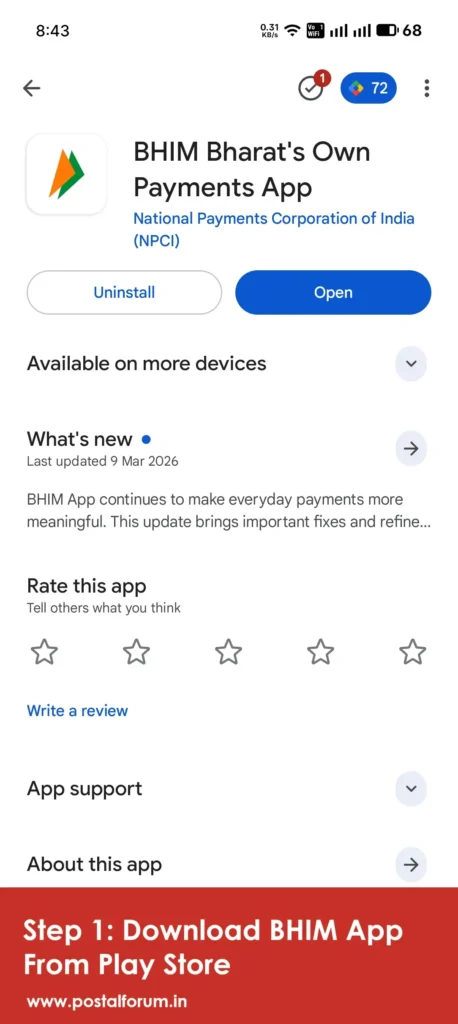
Step 1: Download & Set Up BHIM App
- Download BHIM from the Play Store:
- Install and open the app
- Register using your mobile number linked to your bank account
- Set your UPI PIN
Step 2: Navigate to Bills & Recharge
- Open the BHIM app
- On the home screen, tap “Bills & Recharge”
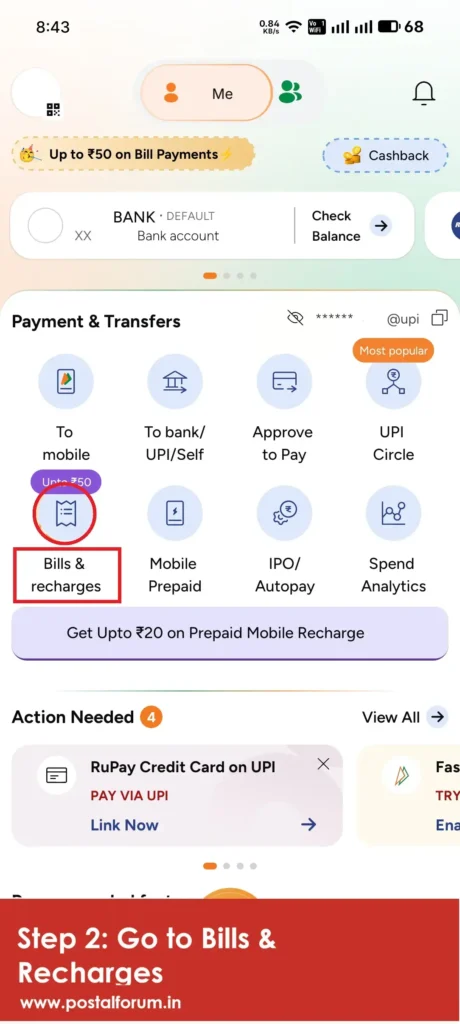
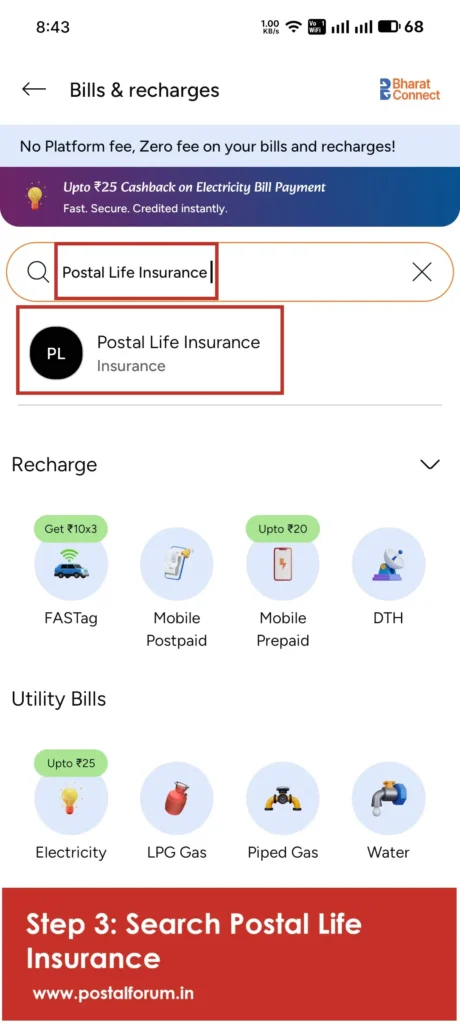
Step 3: Search for Postal Life Insurance
You have two ways:
- Search directly: “Postal Life Insurance”
- OR Go to: Finance → Insurance → Postal Life Insurance
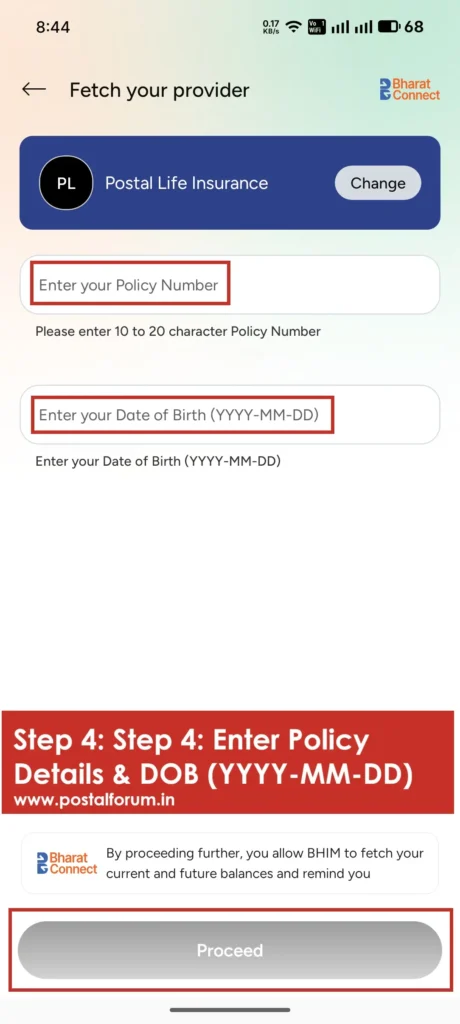
Step 4: Enter Policy Details
Enter the required details:
- Policy Number
- Date of Birth (Format: YYYY-MM-DD)
Then tap Proceed
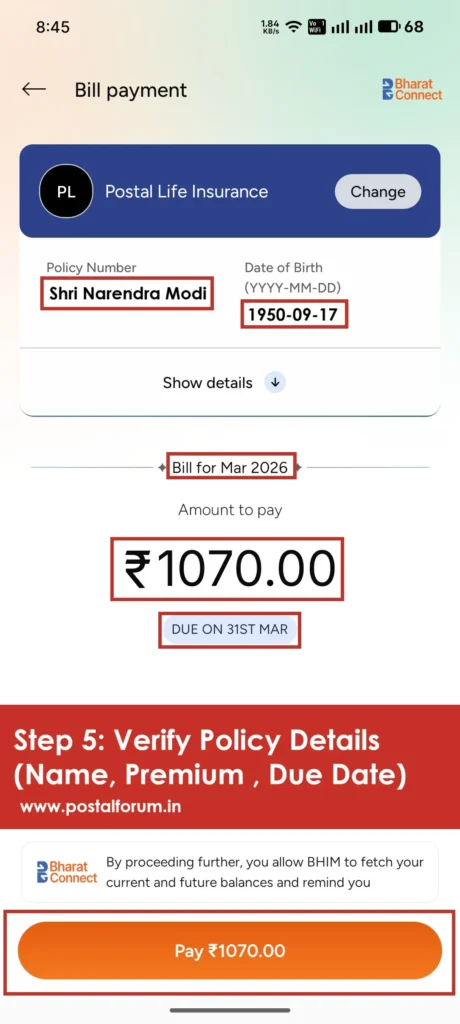
Step 5: Verify Policy Details
The app will fetch your policy details
Verify:
- Policyholder name
- Premium amount
- Due date
Step 6: Complete the Payment
- Tap Pay
- Enter your UPI PIN
- Payment will be processed instantly
✅ You will receive a confirmation message/receipt
Important Points to Remember
- No duplicate payment: If premium is already paid, system will not allow payment
- No advance payment: You can only pay due premiums
- Always check the due date before payment
- Ensure a stable internet connection
Is It Safe to Pay PLI via BHIM?
Yes. BHIM is backed by NPCI and uses bank-level security protocols:
- UPI PIN authentication
- Encrypted transactions
- Real-time bank verification
FAQs
Can I pay multiple PLI policies?
Yes, you can add and pay multiple policies individually.
What if payment fails?
Amount is usually auto-refunded within 2–3 working days. Check transaction status in BHIM app
Is there any extra charge?
No, BHIM UPI payments are generally free of cost